
How to Be Productive: A Practical Guide to Getting the Right Things Done
We may earn a commission for purchases made using our links. Please see our disclosure to learn more.
Learning how to be productive is not about squeezing more tasks into an already crowded day. The harder problem is deciding what matters, protecting attention, and having enough energy to finish. A morning can vanish into messages, errands, and small requests before the work you care about begins.
This guide explains how to be productive in real life: how to choose priorities, turn goals into clear actions, reduce interruptions, use breaks wisely, and review your week. You will also see what research says about task switching, planning, recovery, and sleep, plus a few tools for different working styles. The aim is not a packed schedule. It is steady progress on work that matters.
What Productivity Actually Means
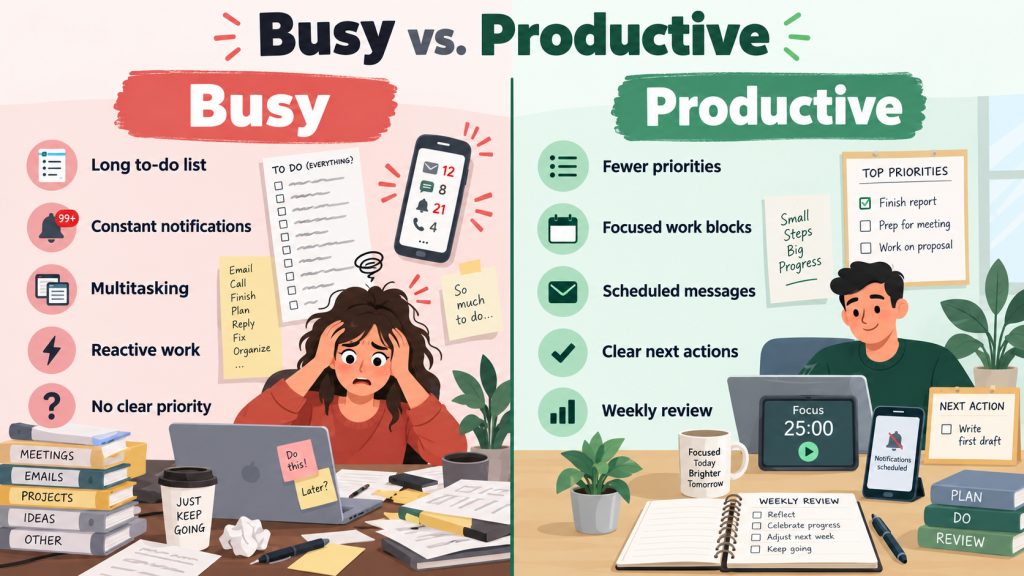
Productivity is not the same as being busy. A packed day can still leave important work untouched.
Think in terms of meaningful progress. Ask, “What would make today worthwhile if I finished only one or two things?” That separates maintenance, such as email, from progress work, such as studying or finishing a client deliverable. Learning how to be productive starts with deciding what deserves attention now.
How to Be Productive by Choosing Fewer Priorities
Long to-do lists make everything look equally important. Choose one main priority and two supporting tasks; move the rest to a backlog.
Your main priority should create meaningful progress. If the day becomes unpredictable, complete the smallest useful version of it. Draft one page instead of five. Progress that survives a messy day is more useful than an ambitious plan you keep abandoning.
Turn Big Goals Into Next Actions
“Grow my business” or “finish my course” does not tell you the next move. Turn goals into visible actions: “draft three slides,” “watch lesson four,” or “download last month’s statements.”
Clear actions make starting easier. If vague goals keep stalling you, Selfcraftr’s goal-setting methods for turning intentions into action can help you choose a structure that fits. A useful test: could another person watch you complete the task?
Plan Your Day Before It Starts
Spend five minutes planning before work begins or the evening before. Check your calendar, choose your main priority, and decide when you will work on it.
Leave room for delays, messages, meals, and tasks that run long. A plan should guide the day, not punish you for having one. When thinking about how to be productive, treat your calendar as commitments rather than a wish list.
How to Be Productive With Time Blocking
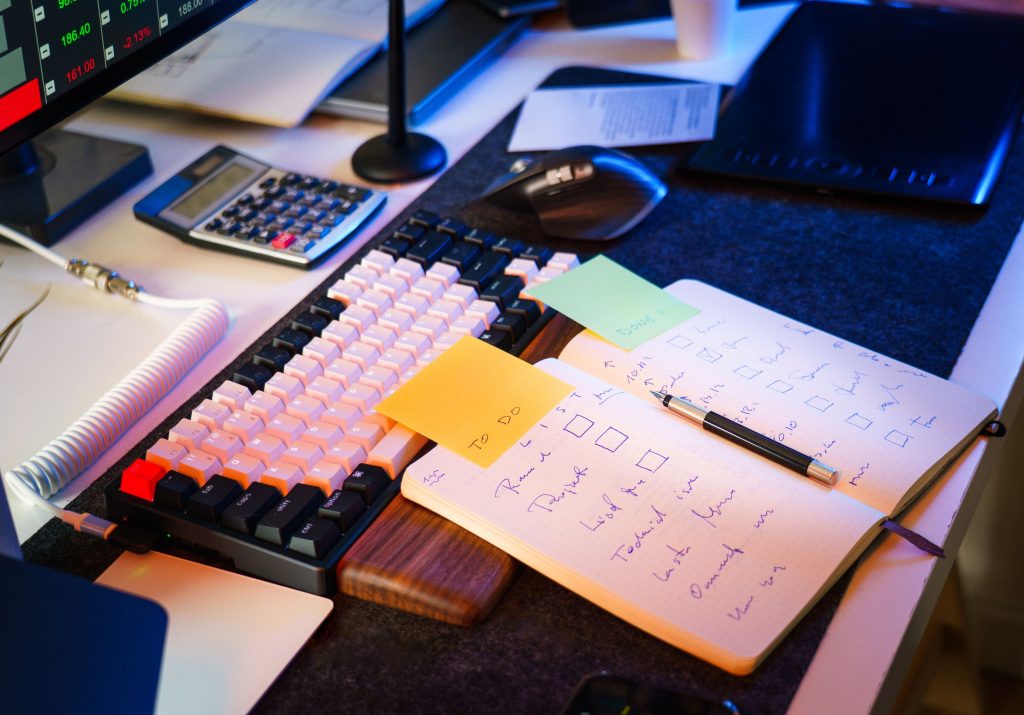
Time blocking assigns a specific period to one kind of work. Instead of “work on report today,” try “draft report from 9:00 to 10:30.”
Use broad blocks when days change often. When the block starts, you already know what deserves attention. If tasks regularly run over, adjust future estimates. Better planning comes from comparing the schedule with what actually happened.
Protect Focus From Interruptions
Notifications, chat apps, and a nearby phone create constant chances to switch tasks. Before focused work, close unrelated tabs, silence alerts, and move the phone away.
If other people rely on you, set a response window rather than disappearing. You do not need perfect silence; you need fewer avoidable interruptions. Learning how to be productive often means protecting one or two uninterrupted blocks, not forcing intense focus all day.
Use Breaks Without Losing Momentum
Before a break, write one sentence about your next step. Then stand, get water, look away, or walk briefly. That note makes returning easier.
Avoid open-ended scrolling. If five minutes becomes twenty, choose a break with a clearer endpoint. Your ideal focus block might be 25, 45, 60, or 90 minutes. Judge the rhythm by attention and recovery rather than loyalty to one timer method.
Match Hard Tasks to Your Energy
Your calendar shows when you are free; your energy shapes what you can do well. Notice when concentration feels easiest and place demanding work there when possible.
Use lower-energy periods for routine messages, filing, or scheduling. For one week, mark when you feel sharp, average, or drained. If you are learning how to be productive around work, study, caregiving, or shifts, those patterns can make planning more realistic.
Build a Workspace That Makes Starting Easier
Keep needed tools close and remove obvious distractions. For digital work, open what you need, then close unrelated tabs.
If you share a space, headphones, a focus cue, or agreed quiet periods may help. Adjust your screen, keyboard, chair, and lighting so discomfort does not keep stealing attention. The goal is not a perfect desk; it is less friction between deciding to work and starting.
How to Be Productive When Motivation Is Low
Motivation changes, so your system should still work when starting feels difficult. Shrink the first step: write five minutes, read two pages, or walk briefly.
You can also use an if-then cue: “If I finish breakfast, then I work on my priority for 20 minutes.” When you ask how to be productive on a rough day, aim for continuity rather than heroics. A minimum useful action keeps progress moving without assuming your capacity never changes.
Recommended Products for Learning How to Be Productive
Tools cannot choose your priorities, but they can remove specific friction. These five options suit different routines rather than treating productivity as one-size-fits-all.
| Product | Best for | Useful feature |
| Time Timer Home MOD | Visual focus sessions | 60-minute countdown |
| Clever Fox Planner PRO 2nd Edition | Paper planning | Undated weekly/monthly layouts |
| Logitech MX Keys S | Typing-heavy work | Multi-device use |
| VariDesk Essential 36 | Sit-stand flexibility | 11 height settings |
| BenQ ScreenBar Halo 2 | Dim monitor setups | Front/rear lighting |
Time Timer Home MOD — 60 Minute Kids Visual Timer Home Edition — For Homeschool Supplies Study Tool, Timer for Kids Desk, Office Desk and Meetings with Silent Operation (Cotton Ball White)
Best for: Visual time blocking
This 60-minute timer shows remaining time with a disappearing colored disk and can run without ticking. It suits people who prefer a physical cue instead of another phone alert. The dial is quick to set for work or study, though longer focus blocks may require another timer.
Clever Fox Planner PRO 2nd Edition, Undated Weekly, 8.5 x 11 Silver Black
Best for: Paper-based weekly planning
This undated planner combines weekly and monthly layouts with goal-setting, habit-tracking, and review pages. Its 8.5-by-11-inch size gives ample room for priorities and appointments, which suits desk-based planning. The tradeoff is portability: people wanting a compact everyday planner may find it larger than necessary.
Logitech MX Keys S Wireless Keyboard Low Profile Fluid Precise – Graphite
Best for: Typing-heavy multi-device workflows
The MX Keys S can switch among up to three devices and uses proximity-activated backlighting. Logitech’s software supports programmable Smart Actions for repetitive steps. It suits people who type heavily or move between computers. If your current keyboard is already comfortable, the upgrade may add little.
Vari – VariDesk Essential 36 – Two-Tier Standing Desk Converter for Monitor & Accessories – Height Adjustable Sit Stand Desk – Fully Assembled Monitor Riser for Home Office – 36″ Wide, Black
Best for: Sit-stand flexibility on an existing desk
This two-tier converter provides 11 height settings, a spring-assisted lift, and separate levels for a monitor and keyboard. It adds sit-stand flexibility without replacing your desk. Its 36-inch width and weighted base need substantial desktop space, so measure your setup first.
BenQ ScreenBar Halo 2 LED Monitor Light Bar – Wireless Controller, Backlight, Motion Sensor, Adjustable Brightness/Color Temperature, Eye-Care, No Screen Glare, Fits Curved Monitor, Monitor Accessory
Best for: Monitor users working in dim rooms
The ScreenBar Halo 2 combines front and rear lighting with a wireless brightness and color-temperature controller. It mounts above compatible flat or curved monitors, keeping the desktop clear. It suits dim monitor setups; in a bright room or laptop-only workspace, a simpler lamp may be enough.
What Research Says About Productivity
Research supports several practical habits, although no method guarantees better output for everyone.
The American Psychological Association’s overview of multitasking and switching costs summarizes evidence that people are generally slower when switching tasks than when repeating one. A 2023 review in Nature Reviews Psychology on task focus and task switching likewise describes tradeoffs between focus and flexible switching. Batching messages and protecting focused blocks can reduce unnecessary switching. citeturn124429search0turn732177search0
A 2021 meta-analysis of mental contrasting with implementation intentions included 21 studies and 15,907 participants. It found a small-to-moderate positive effect on goal attainment (g = 0.336), while noting possible publication bias. Specific if-then plans appear more useful than vague intention. citeturn732177search5
A covering 22 independent samples and 2,335 participants found small improvements in vigor and reductions in fatigue from micro-breaks; the overall performance effect was not statistically significant. citeturn552618view7
Finally, a recommends that adults ages 18 to 60 regularly get at least seven hours of sleep. A productivity routine that repeatedly cuts sleep needs reconsideration.
Create a Weekly Review That Keeps You on Track
Once a week, spend 15 to 30 minutes checking completed work, unfinished tasks, upcoming commitments, and your main goal.
Ask what moved forward, what got stuck, and why. Then choose next week’s priorities before reactive work fills the schedule. Notes may reveal poor estimates or hard work saved for low-energy hours.
This is a practical way to improve how to be productive over time: adjust your system using evidence from your own week.
FAQ: How to Be Productive in Real Life
How can I be productive when I feel overwhelmed?
Write down everything competing for attention, then choose one task that would create meaningful relief or progress. Define a small first step and work on it for a protected block. Once the pressure drops, choose the next task. Reducing decisions often helps more than building a complicated system.
What is the best way to start a productive day?
Check your calendar and choose one main priority before opening messages or social media. Decide when you will work on it and what “done” means. If mornings are chaotic, decide the night before. A useful routine gives important work a place before reactive tasks fill the day.
How many productive hours should I aim for each day?
There is no universal number. Deep concentration, meetings, physical work, study, and creative work demand different amounts of attention. Instead of chasing a fixed number, track whether important work is moving forward and whether your routine is sustainable. Build breaks into demanding periods and protect adequate sleep.
Does the Pomodoro Technique really help productivity?
It can help when a timer makes starting easier or gives distracting work a boundary. You do not need one interval exactly. Try 25, 45, or 60 minutes and notice which rhythm supports the task. Complex writing or analysis may benefit from longer blocks than simple administrative work.
How to be productive at home?
Use clear cues for starting and stopping. Keep a defined workspace, choose your main task before the day becomes reactive, and reduce distractions during focus blocks. If you live with others, communicate when you need uninterrupted time. At shutdown, capture unfinished tasks and choose tomorrow’s first priority.
Conclusion: How to Be Productive Without Burning Out
Understanding how to be productive starts with a smaller question: what deserves your attention next? Choose fewer priorities, translate goals into visible actions, give important work a place on your calendar, and protect enough focus to finish it. Then use breaks, adequate sleep, and weekly reviews to keep the system sustainable.
Different tools solve different problems. The Time Timer Home MOD can make focus blocks visible, while the Clever Fox Planner PRO 2nd Edition suits people who think best on paper. Workspace accessories matter only when they solve a real friction point.
For most readers, the best recommendation is simple: build a small repeatable system first, review it weekly, and add tools only when you know what problem they need to solve.